
Your Roborock has been faithfully cleaning for months, maybe years. Lately, you’ve noticed it returns to the dock more often, or maybe it stops mid-clean and complains about low battery. That’s a classic sign the original battery is wearing out. Replacing it is a straightforward DIY fix that can give your robot a new lease on life, saving you from buying a whole new vacuum.
In this guide, we’ve gathered the top replacement batteries for popular Roborock models like the S4, S5, S6, S7, and Q series. We’ll break down what to look for in capacity, compatibility, and safety, so you can choose the right one and get back to effortless cleaning.



Buying Guide: Choosing the Right Roborock Battery
Before you click ‘add to cart,’ there are a few key factors to consider. Getting these right ensures you pick a battery that fits, works, and lasts. Here’s what to check.
Compatibility: Match Your Model and Part Number
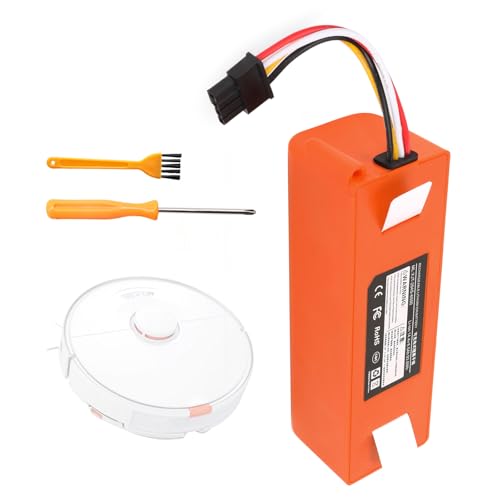
The most critical step is confirming the battery fits your specific Roborock model. Most replacements list compatible models, like S4, S5, S6, S7, and Q series. But you should also verify the original battery part number, often printed on the battery itself. Look for codes like BRR-2P4S-5200S or similar. If your model isn’t listed, double-check the physical dimensions and connector type.
If you’re unsure about your model, our guide on Roborock replacement parts can help you identify the right components.
Capacity and Runtime: Higher mAh Means Longer Cleaning
Battery capacity is measured in milliamp-hours (mAh). A higher mAh typically translates to longer runtime on a single charge. Many aftermarket options offer more capacity than the original, like 6500mAh or 6800mAh, which can extend your cleaning sessions. However, always ensure the voltage matches (usually 14.4V) and that the physical size still fits.
For example, the CITYORK 14.4V 6800mAh battery promises extended runtime for models like the S7 and S8. But if you have an older S5, a 6500mAh option from NASTIMA or TUEESN might be a better fit.
Safety and Protection: Built-in BMS is a Must
Lithium-ion batteries pack a lot of energy, so safety features are non-negotiable. Look for a built-in Battery Management System (BMS) that protects against overcharge, over-discharge, overcurrent, and short circuits. These protections prevent damage to the battery and your vacuum, and they also extend the battery’s lifespan.
All the batteries we’ve listed include such protections, but it’s worth confirming before you buy. A reliable battery also has low self-discharge, so it holds its charge when the vacuum is idle.
Warranty and Support: Peace of Mind
Even the best batteries can fail. A solid warranty, like 12 months or 24 months, shows the manufacturer stands behind their product. Check the return policy as well. If the battery doesn’t fit or work, you want a hassle-free return. Most brands offer at least 30 days, and some go up to a year or more.
For example, the JOTACT battery offers a 12-month replacement, while TUEESN provides a 24-month warranty. These are good indicators of quality.
Final Thoughts
Replacing your Roborock’s battery is a smart, cost-effective way to restore its performance. For a budget-friendly option that covers a wide range of models, the JOTACT Replacement Battery for XiaoMi Roborock S4 is a solid choice. If you have a newer S7 or S8 and want maximum runtime, the CITYORK 14.4V 6800mAh Replacement Battery is an excellent upgrade. Whichever you pick, you’ll be back to hands-free cleaning in no time.
Related Guides
Frequently Asked Questions
How do I know if my Roborock battery needs replacing?
Common signs include reduced runtime, the vacuum returning to the dock prematurely, or the battery indicator showing low even after a full charge. If your Roborock is over a year old and you notice these issues, it’s likely time for a new battery.
Will a higher mAh battery damage my Roborock?
No, as long as the voltage matches (14.4V) and the physical size fits, a higher mAh battery is safe. It simply provides more capacity, which means longer runtime. The vacuum’s charging system will handle it fine.
How long does a replacement battery last?
Typically, a quality lithium-ion battery will last 300-500 charge cycles, which translates to 1-2 years of regular use. Proper care, like not letting it fully discharge, can extend its life. Check our guide on brush replacements for other maintenance tips.
Can I replace the battery myself?
Absolutely. Most Roborock models have a simple battery compartment on the bottom. You just unscrew the cover, unplug the old battery, plug in the new one, and screw the cover back on. It takes about five minutes and requires no special tools.
For more tips on maintaining your Roborock, see our articles on filters and bags.