

🔥 Black Friday Robot Vacuum Deals 2026: picks worth watching →
Your eufy RoboVac 25C has been a reliable cleaning companion, but lately, it barely finishes a room before needing a recharge. A dying battery is the most common reason your robot stops mid-clean, but replacing it is simpler and far cheaper than buying a new vacuum. This guide reviews the best eufy robovac 25c battery replacements available, covering high-capacity options from brands like Keenstone, maxlithium, and AHJ.




Buying Guide
Capacity and Runtime
Battery capacity, measured in milliampere-hours (mAh), directly determines how long your RoboVac can clean. Standard original batteries typically offer around 2600mAh, providing about 90 to 120 minutes of runtime. Upgraded options like the 4000mAh models from Batryuic or KUNLUN can extend that to 120 to 180 minutes, letting your vacuum cover larger homes on a single charge. When choosing, balance higher capacity with your typical cleaning area—more mAh means more cleaning time but also slightly longer recharge periods.
If you have a larger home or multiple floors, a higher-capacity battery is a worthwhile investment. For smaller apartments, a standard 2600mAh replacement like the maxlithium or AHJ may be perfectly sufficient and more budget-friendly.
Compatibility and Connector Type
Not all replacement batteries fit every RoboVac model. Most eufy 25C batteries use a 3-prong connector, but it is critical to verify your original battery’s connector shape before purchasing. All the batteries listed here are compatible with the eufy RoboVac 25C and many other models like the 11S, 30C, and G30 series. However, double-check the product description to ensure your specific model is listed.
For more guidance on choosing the right vacuum for your home, see our Robot Vacuums category page. Also, if you are considering a new robot altogether, check out our roborock qrevo curv 2 pro review for a premium alternative.
Safety and Certification
Lithium-ion batteries can pose risks if not built with proper safeguards. Look for batteries with built-in protection against overcharging, overheating, and short circuits. Certifications like CE, FCC, and ROHS indicate that the battery meets international safety standards. Premium brands like Keenstone and ANHO SAFE AND GOOD (which uses OEM BYD cells) often include advanced battery management systems (BMS) for added peace of mind.
Cycle Life and Durability
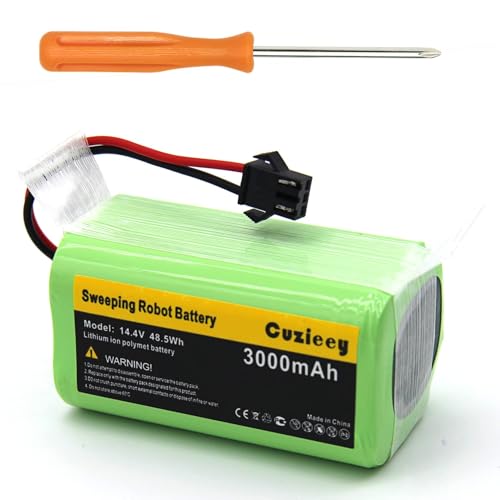
A battery’s cycle life refers to how many times it can be fully charged and discharged before its capacity significantly degrades. Standard batteries may last 300 to 500 cycles, while upgraded models can exceed 800 or even 1000 cycles. Choosing a battery with a longer cycle life saves you money in the long run and reduces electronic waste. Brands like KUNLUN and Cuzieey advertise 500+ and 800 cycles respectively.
Final Thoughts
Reviving your eufy RoboVac 25C with a new battery is one of the smartest upgrades you can make. For maximum runtime, the Upgraded 4000mAh N79 14.4V Battery for Eufy from Batryuic delivers exceptional cleaning time, while the Keenstone 14.4V 3200mAh Replacement Battery offers a perfect balance of reliability, safety, and value for most households.
Related Guides
Frequently Asked Questions
How do I know if a replacement battery is compatible with my eufy RoboVac 25C?
Check the product description for your specific model number (e.g., 25C, 11S, 30C). Also, remove your original battery and verify it uses a 3-prong connector, as most replacements require this design. If you are unsure, see our Vacuum Parts & Accessories guide for more tips.
Will a higher mAh battery damage my robot vacuum?
No, a higher mAh battery simply stores more energy and will not damage your vacuum. The robot’s charging system regulates the charge, so using a 4000mAh battery instead of 2600mAh is safe and provides longer runtime.
How long does it take to charge a replacement battery?
Charging time varies by capacity. A standard 2600mAh battery typically charges in about 3 to 4 hours, while a 4000mAh battery may take 4.5 to 5 hours. Most batteries are compatible with the original charging dock.
Can I replace the battery myself, or do I need a professional?
Replacing the battery is a simple DIY task. You only need a screwdriver (often included) to remove the battery compartment cover, disconnect the old battery, and plug in the new one. Most replacements take under five minutes.


